← All solutions
Dynamics 365 SalesDYNAMICS 365 SALES

Ask a better question.
See the next move.

Bring sales performance into focus. Connect your data, explore the evidence and plan your next move with Sales Research Agent.

DYNAMICS 365 SALES

Sales Research Agent

THE SALES LEADER ASKS

“What is happening across our revenue and pipeline?”

Connect
Explore
Decide
Evidence for the next decision.

Your team brings the business judgement.

Illustrative journey based on Microsoft’s product demo

A SALES LEADER’S RESEARCH JOURNEY

From scattered data
to a clearer business picture.

Explore the pipeline and revenue-analysis workflow shown in Microsoft’s demo.

Sales Research Agent · Research in practice

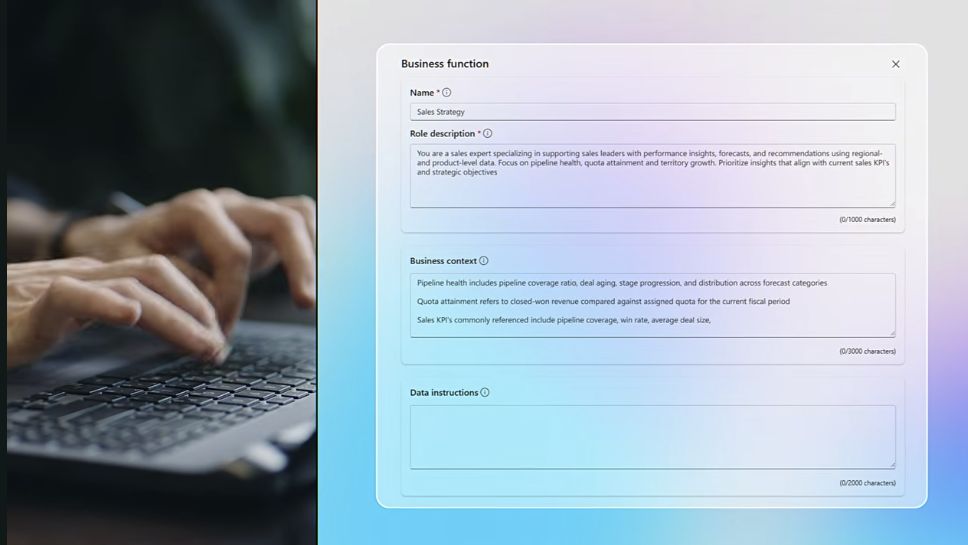
Give research a business purpose.

Choose a business function and define the priorities that shape the analysis.

Review our sales performance using our team’s business context.

A focused starting point
  • Business function: Operations Research
  • Focus: pipeline and revenue
  • Context: team priorities and data rules

SEE IT IN THE APPLICATION

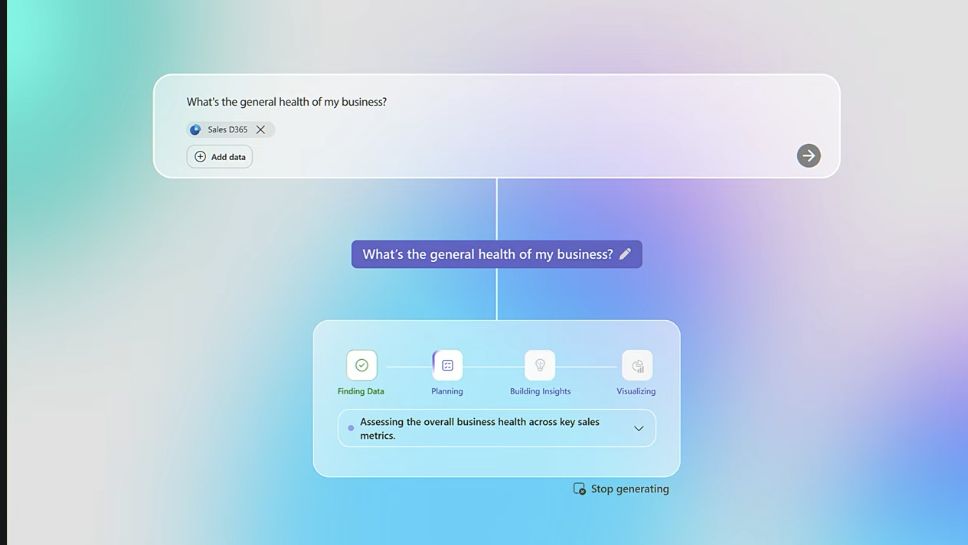
One question opens
a new view.

Watch Microsoft demonstrate business context, connected sources and an interactive research canvas.

Watch on YouTube ↗
MICROSOFT PRODUCT DEMO

Sales Research Agent in Dynamics 365 Sales

Watch on YouTube ↗

Official Microsoft Dynamics 365 video · Product demonstration with example data

GO DEEPER INTO THE FINDINGS

Explore the answer.
Then ask what’s next.

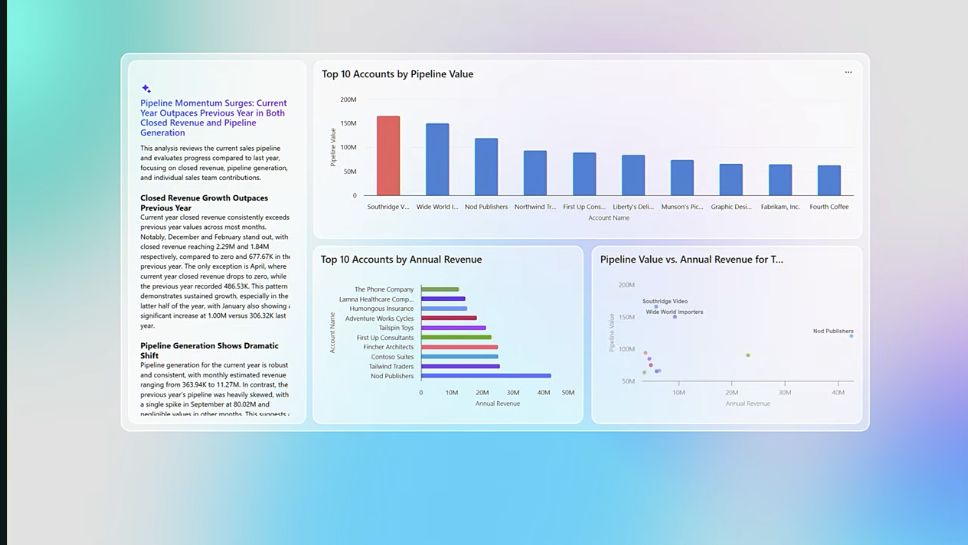
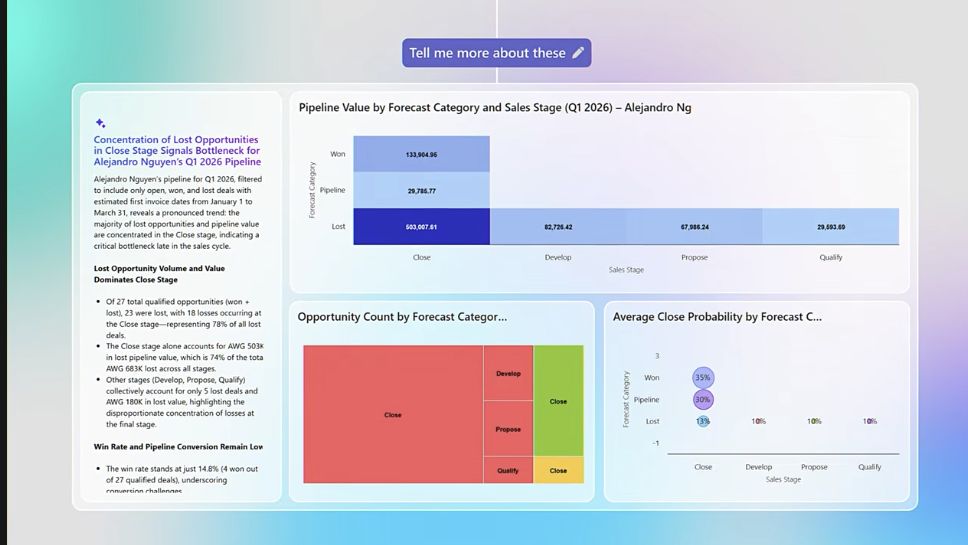
Four screens from Microsoft’s demo show how to set the context, ask a question, compare performance and investigate a finding. Select a view below.

Connect the right data.

Dynamics 365 SalesDataverseMicrosoft FabricExcel · CSV · PDF

Sources must be connected and accessible to the user. Microsoft feature guide ↗

THE BUSINESS FOUNDATION

AI assistance.
Built on a connected sales operation.

Customer relationships

Accounts, contacts and activities in one shared view.

Leads & opportunities

A consistent process from first interest to the next sales conversation.

Pipeline & forecasts

A connected foundation for reviewing performance and planning ahead.

Copilot summaries & lead qualification

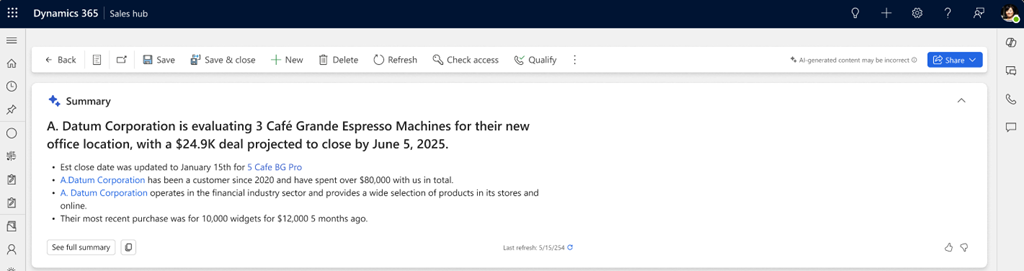
Understand the opportunity.

Microsoft Copilot opportunity summary
Microsoft opportunity summary documentation ↗

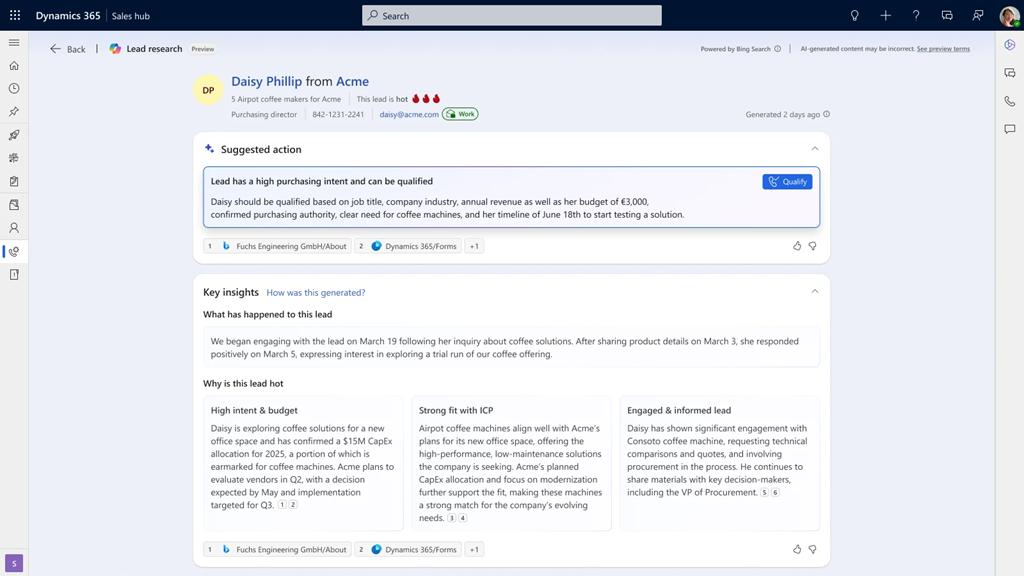
Prepare the next conversation.

Microsoft Sales Qualification Agent lead research
Microsoft screenshot · Earlier preview interface · Lead qualification guide ↗

Sales Research Agent explores business performance. Sales Qualification Agent researches leads, with research-only or configured engagement modes.

INDUSTRY KNOWLEDGE, APPLIED

Make this journey
work for your business.

S-Knight Asia connects the Microsoft capabilities with the processes, information and decisions your team works with every day.

Start with the work.

Choose the performance questions your sales leaders need to answer.

Shape the context.

Connect relevant data and agree business definitions, roles and research priorities.

Pilot with your team.

Review the output in real work, refine the setup and expand the workflows that prove useful.

Capabilities depend on licensing, connected sources, permissions, region and configuration. Microsoft documentation reviewed 14 October 2026. Demo examples illustrate product behaviour, not a customer project or guaranteed outcome.

Bring your next business question.

Discuss your project ↗

S-Knight Asia enquiry assistant

This is an AI enquiry assistant. Please do not submit passwords or sensitive documents. Privacy Policy

Loading the enquiry assistant…

If the embedded chat is unavailable, open it in a new tab.Open chat in a new tab ↗