
Power Apps
Business applications for procurement, employee requests and everyday operations.
 S-KNIGHTASIA
MICROSOFT POWER PLATFORM
Give your team a simpler way to submit requests, keep approvals moving and understand business performance.


Business rules. Connected applications.
Your team's everyday work.
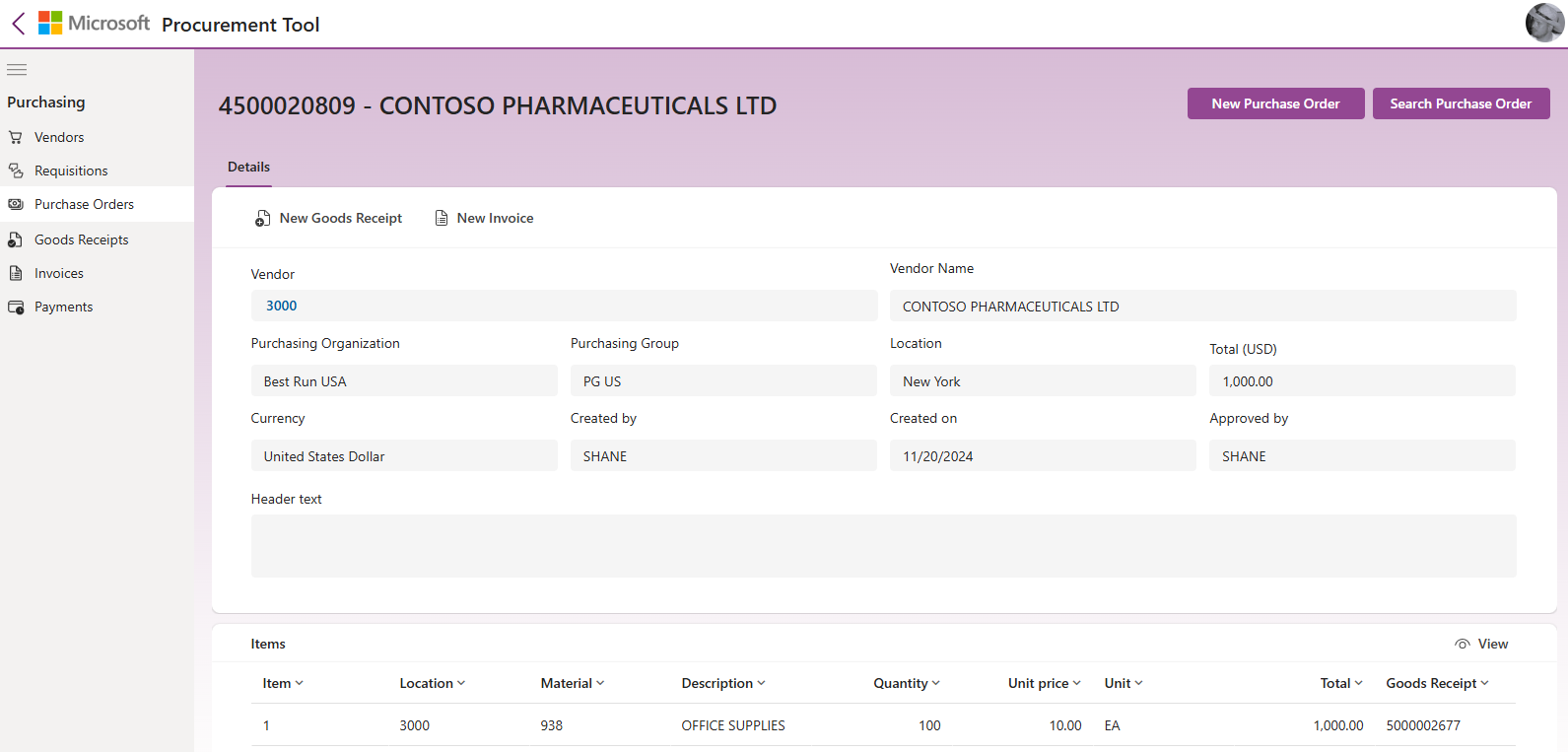
POWER APPSGive your team a focused application for the work they do every day. Microsoft’s SAP Procurement template shows how Power Apps can bring purchasing tasks into a simpler interface, connected to ERP data.
Bring purchase orders, vendors, receipts and invoices into a clear business application.
Work with business records through configured connections to your system of record.
Adapt screens and controls, with Power Automate flows supporting the steps behind them.
 POWER AUTOMATE
Connect WhatsApp, LINE and WeChat with your Microsoft business systems. Bring Teams and Copilot Studio into the flow for approvals, AI agent requests and timely updates.
Connect Copilot Studio agents to workflows that look up records and act on business requests.
Send notifications and approval requests to Teams, and order updates to your customer’s messaging channel.
Connect Business Central, Dynamics 365 and Microsoft 365 with the conversation.
CONNECTED CONVERSATIONS
WHERE CUSTOMERS CONNECT
Your rules.
The right next action.
WHERE YOUR BUSINESS WORKS


Team notifications.
Approvals in the conversation.
AI agents that understand requests
and call connected workflows.
A customer asks. A Copilot Studio agent can call a flow to retrieve the answer, with Teams keeping your staff informed.
Can you check the delivery status of order SO-1048?
Your order has been dispatched. Here is your delivery tracking link.
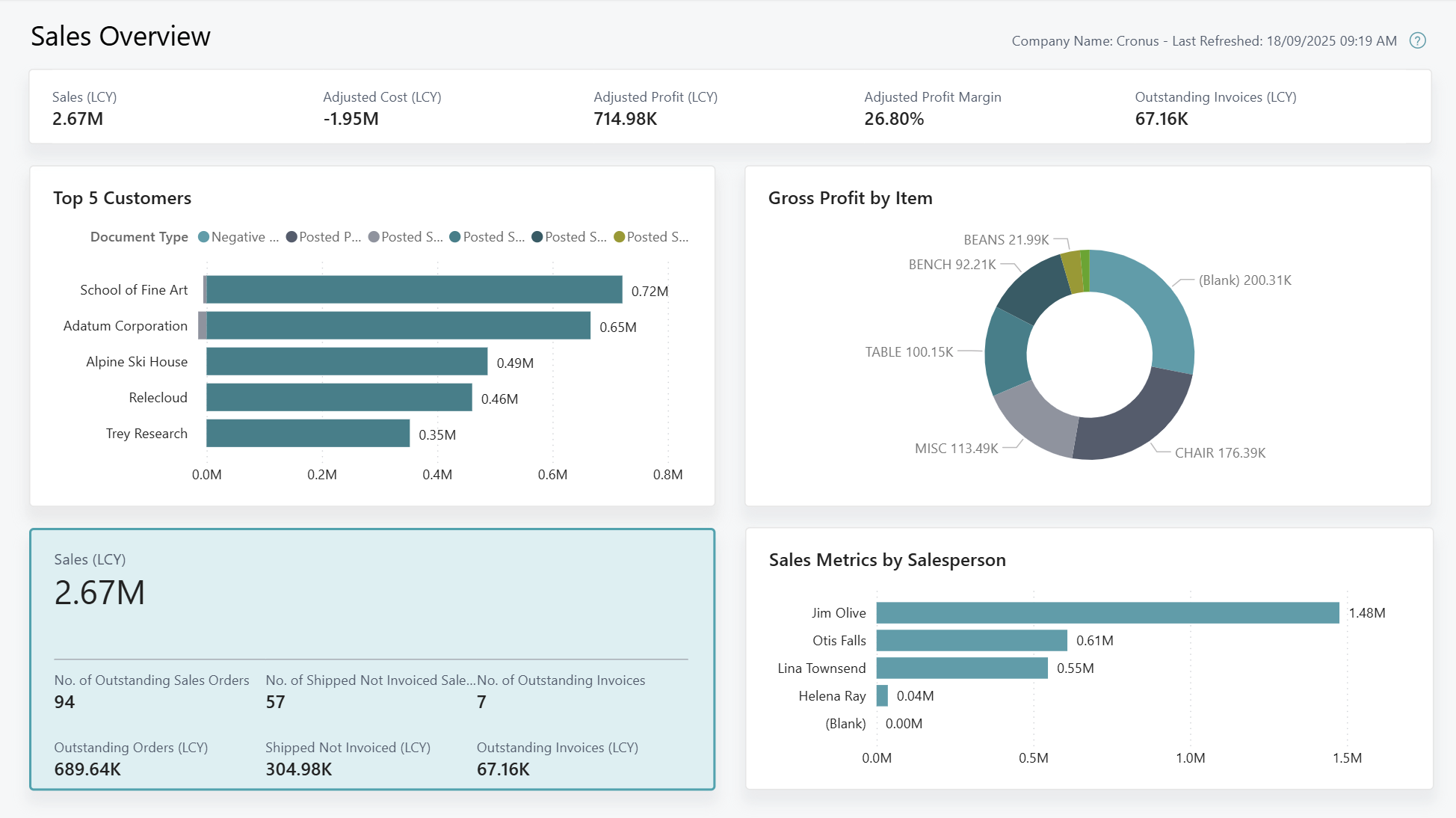
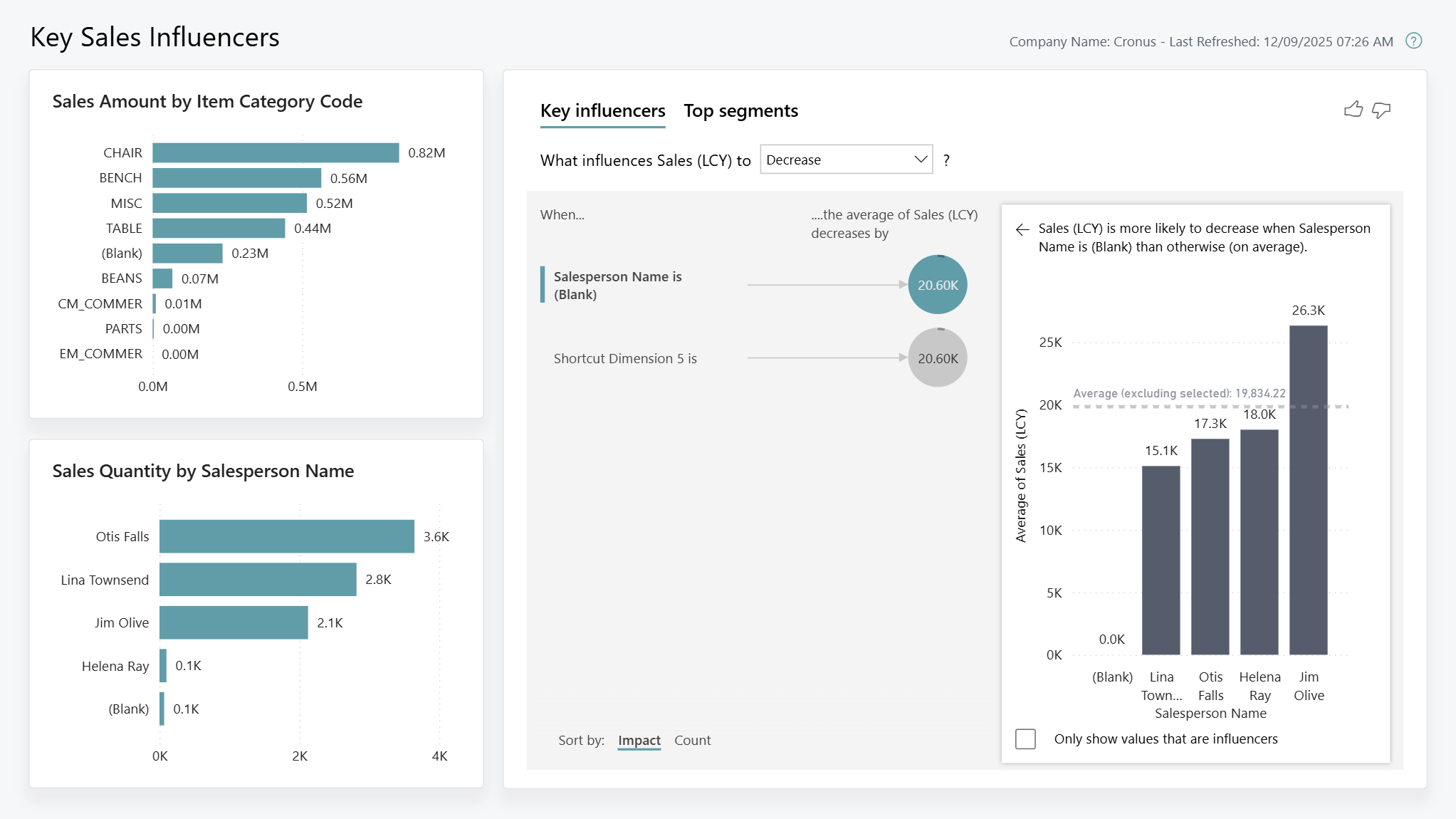
Illustrative conversation · Sample dataPOWER BIStart with Microsoft’s Power BI Sales app for Business Central. See sales, margins and outstanding orders together, then explore the factors behind your sales performance.
Use Microsoft’s Business Central sales reports as a starting point for your reporting solution.
Explore customers, items and salespeople, with sales, cost and gross-profit measures.
Explore key influencers and segments to understand patterns in your sales data.
DESIGNED AS A CONNECTED SOLUTION
Business applications for procurement, employee requests and everyday operations.
Connect business messaging, approvals and Microsoft systems through your rules.
Connected reports that turn operational data into a clearer view.
Connect with Microsoft 365, SharePoint, Dynamics and other business systems as your requirements allow.
LET’S TALK ABOUT YOUR PROCESS
Show us the form, approval process or report you want to improve.