Find the cases that need attention.
Start with a sortable case list and focus on the work that matters.
Show the cases that need my attention.
- Case priority
- Current status
- Customer context
S-KNIGHTASIAHelp your team move from a customer’s question to a clear response—with case context, trusted knowledge and Service Agent in Microsoft 365 Copilot.
“What does this customer need—and what should we do next?”
Your representative reviews the response.
A CUSTOMER SUPPORT JOURNEY
Follow the earbud-support scenario shown in Microsoft’s demo: a repeat issue, a replacement question and a representative who needs the full picture.
Start with a sortable case list and focus on the work that matters.
Show the cases that need my attention.
The demo customer reports a charging failure and a repeat replacement request.
Summarise this case and its recent interactions.
Search service knowledge and SharePoint for troubleshooting and replacement guidance.
Find the replacement guidance relevant to this case.
Draft a response from the case context. The representative reviews it before sending.
Draft a reply asking for the information we still need.
Update the record, add notes and initiate a child case where further work is needed.
Update the case and record the follow-up actions.
SERVICE AGENT IN ACTION
Explore the service workflow through official Microsoft product screenshots: review cases, understand customer history, find policy guidance and prepare a reply.
SERVICE AGENT
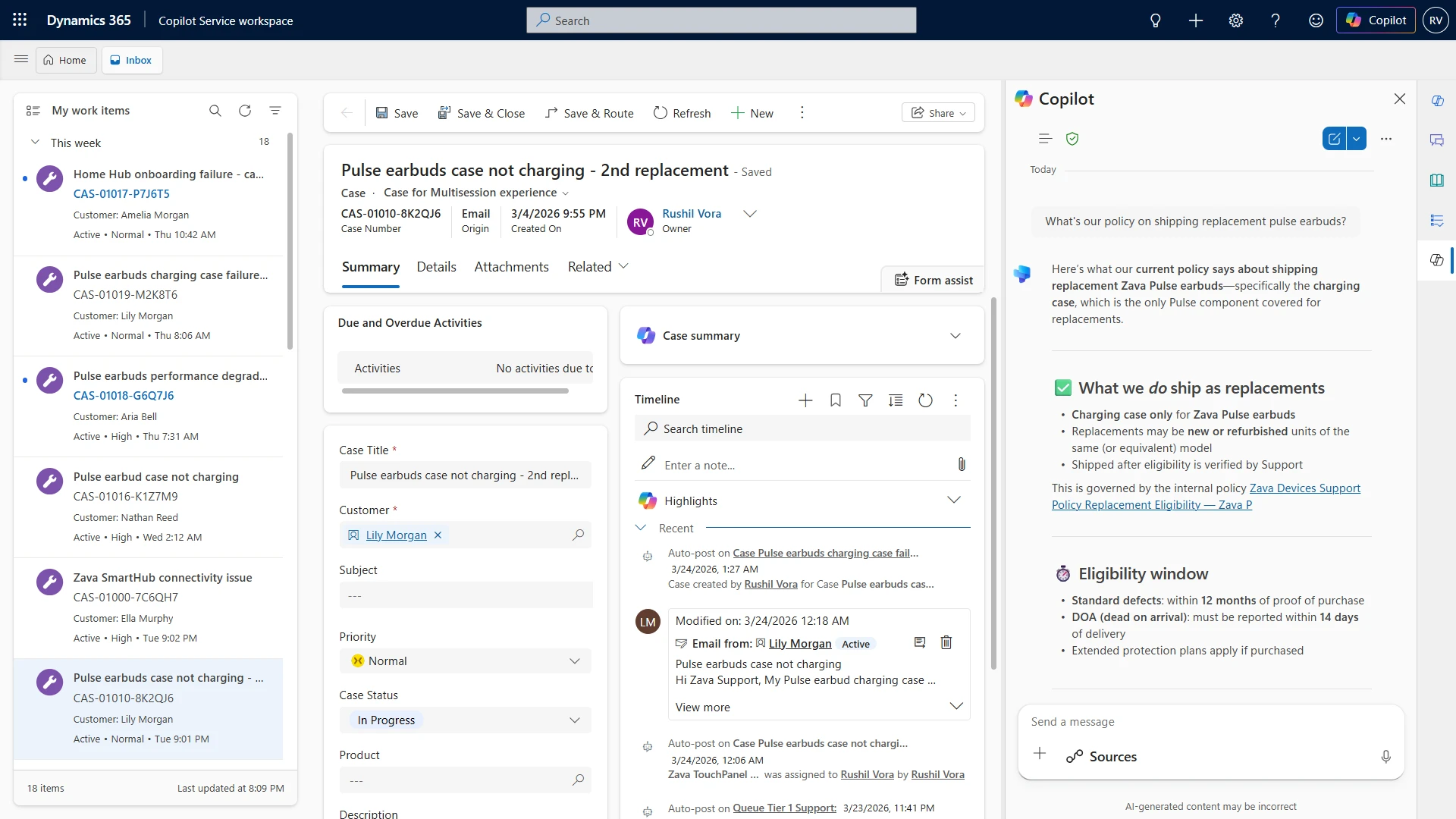
See the customer, priority and status in your work list. Open a case with its details and activity history beside it.

A focused view of the official workspace shows the work queue and the selected replacement case.
SERVICE AGENT
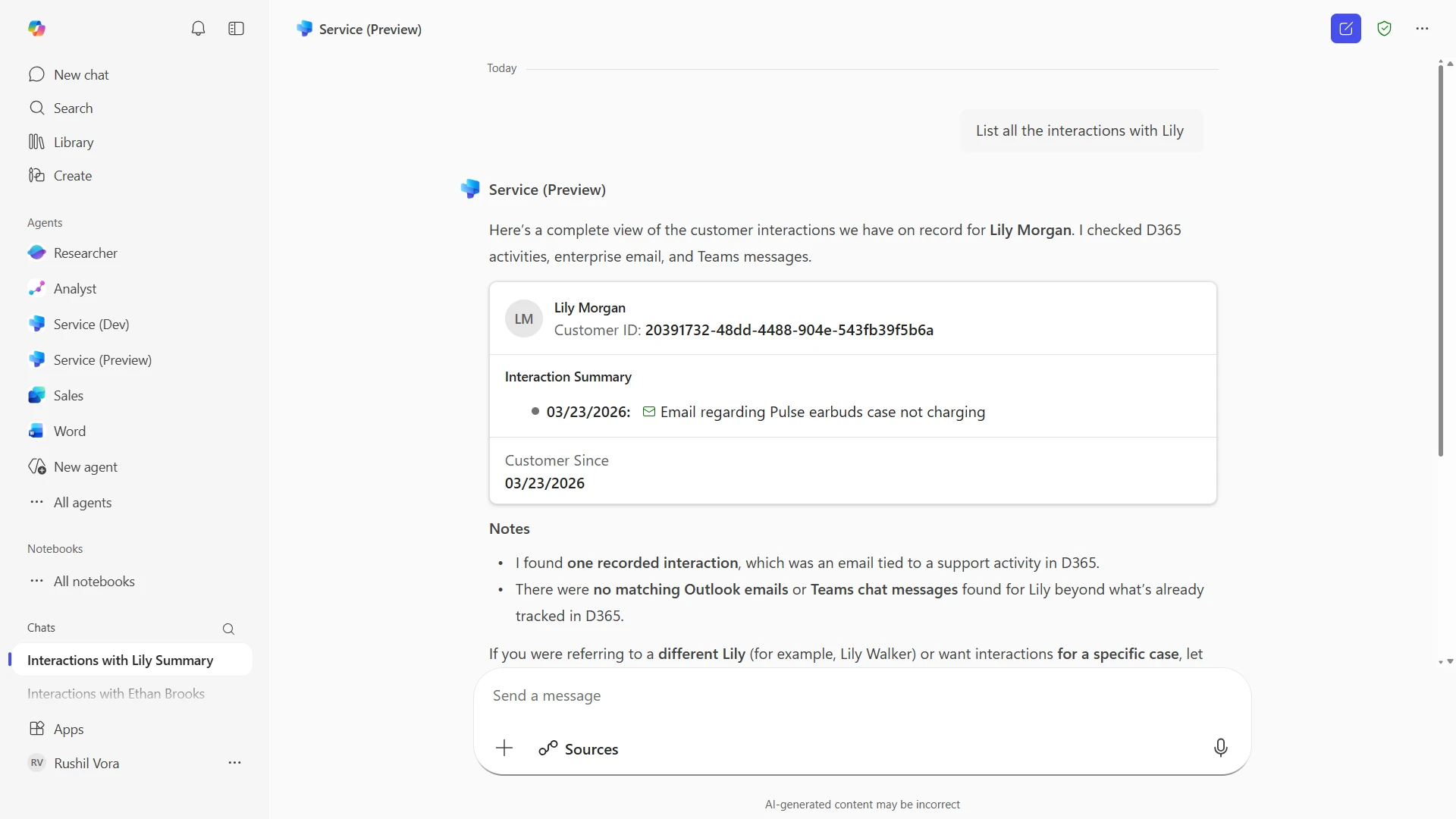
Ask Service Agent to bring customer interactions together across Dynamics 365, email and Teams.

The interaction summary identifies the recorded customer email and explains which other sources have no matching activity.
SERVICE AGENT
Find replacement guidance while the case is open, with linked knowledge sources you can review.

The policy response explains what can be replaced and the eligibility window, alongside the customer’s case.
SERVICE AGENT
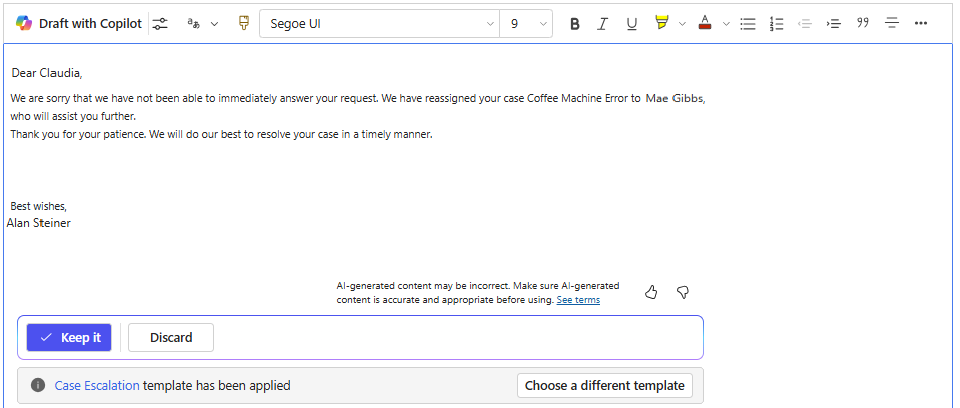
Prepare an email with Copilot, review the wording and keep or discard the draft before sending.

This separate Microsoft example shows a case-escalation reply, the applied email template and the “Keep it” review control.
Knowledge answers use connected service knowledge and SharePoint; customer-interaction summaries can also draw on Teams and Outlook. Microsoft feature guide ↗
THE BUSINESS FOUNDATION
A shared workspace for customer issues, activities and accountability.
Queues, priorities and service targets shaped around your operation.
Useful guidance that helps your team answer with confidence.
CASE MANAGEMENT AGENT IN ACTION
See how AI-assisted case management looks in Microsoft’s Copilot Service workspace.
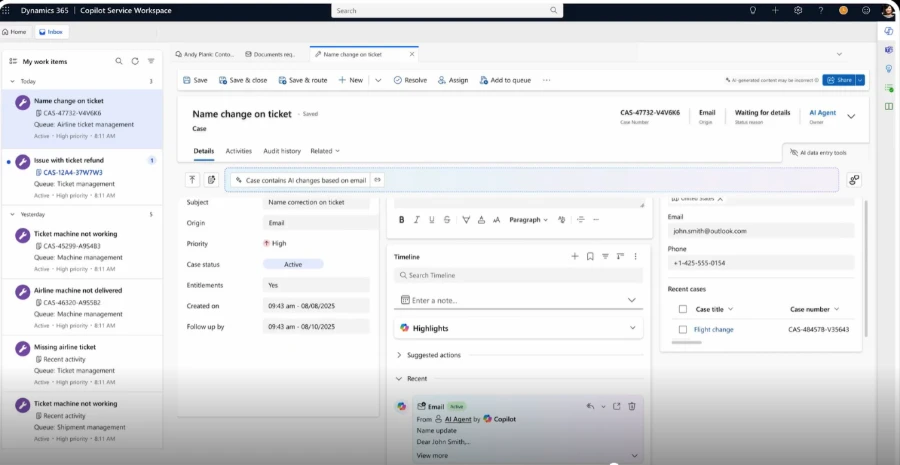
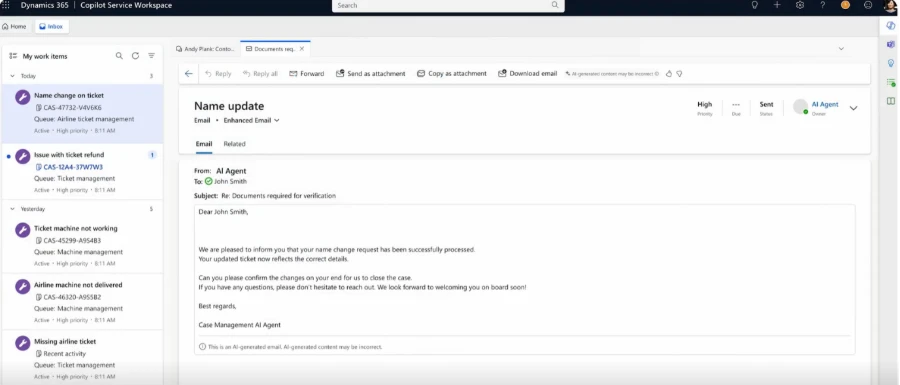
The case record brings AI updates, status and customer context into one workspace.

The agent can generate an email based on the case. This Microsoft example shows a sent response from the AI Agent.

INDUSTRY KNOWLEDGE, APPLIED
S-Knight Asia connects the Microsoft capabilities with the processes, information and decisions your team works with every day.
Choose a support journey, from the first question to the next action.
Connect case data and knowledge, then agree policies, review points and handovers.
Review the output in real work, refine the setup and expand the workflows that prove useful.
Capabilities depend on licensing, connected sources, permissions, region and configuration. Microsoft documentation reviewed 14 October 2026. Demo examples illustrate product behaviour, not a customer project or guaranteed outcome.
CONNECTED CUSTOMER EXPERIENCES