Finance & accounting
Connect your general ledger, cash, payables and receivables.
 S-KNIGHTASIA
 DYNAMICS 365 BUSINESS CENTRAL
Run your core operations in Business Central. Bring recurring billing, expense management, Copilot and agents into the way your business works.
Implementation, integrations, NAV/GP upgrades and support for businesses in Hong Kong and Taiwan.
Understand. Create. Analyse.
Process. Prepare. Follow up.
Solution direction · Capabilities introduced in stages
THE BUSINESS FOUNDATION
Connect the records and processes your teams depend on, then build the next layer of automation around them.
Connect your general ledger, cash, payables and receivables.
Keep quotes, orders, invoices and supplier activity together.
Manage stock, locations, replenishment and warehouse movements.
Plan resources, track project costs and manage project billing.
Connect production orders, materials and capacity.
Premium capabilityManage service orders, contracts and service resources.
Premium capabilityTurn operational data into financial and business insight.
Extend the experience with Microsoft 365, Power Platform and portals.
MORE VALUE IN EVERYDAY WORK
Keep contracts and recurring invoices in sync.
Manage subscription contracts, billing cycles, renewals and usage-based charges in the same business application.
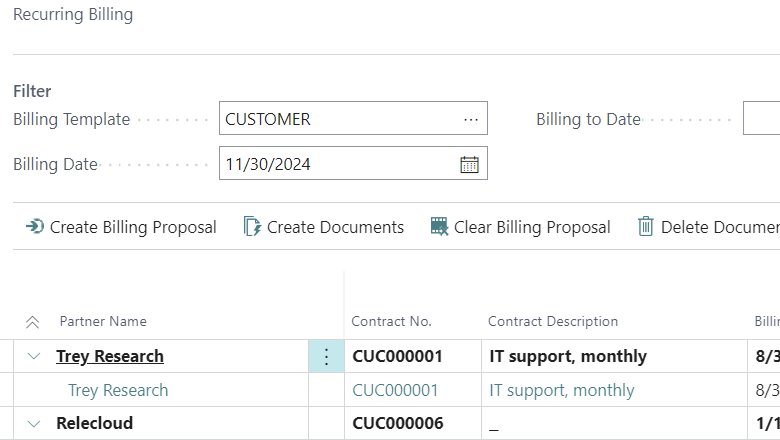
Recurring billing.
One connected record.
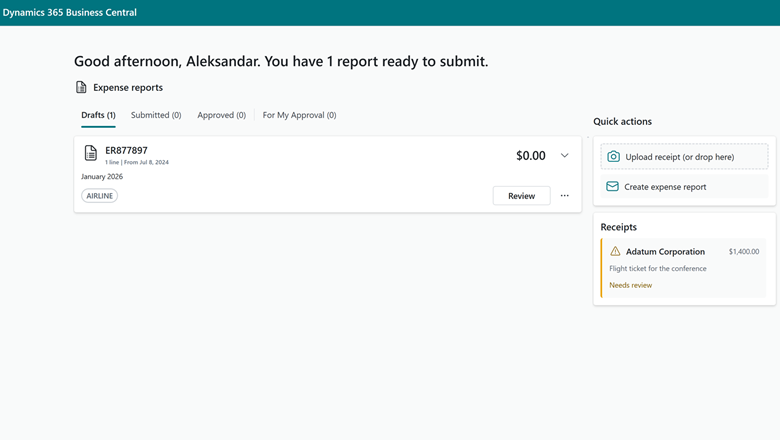
From a receipt to a reviewed expense.
Employees upload receipts through a web app. Expense Agent extracts the details and prepares expenses for review and approval in Business Central.
COPILOT & AGENTS
Use Copilot for assistance and agents for defined business tasks, with permissions and review points built into the process.
A customer email.
A head start on the order.
Read customer requests, identify items and prepare a sales quote. Continue to a sales order according to your configuration, with your team reviewing the steps that need attention.
Business Central · Sales Order Agent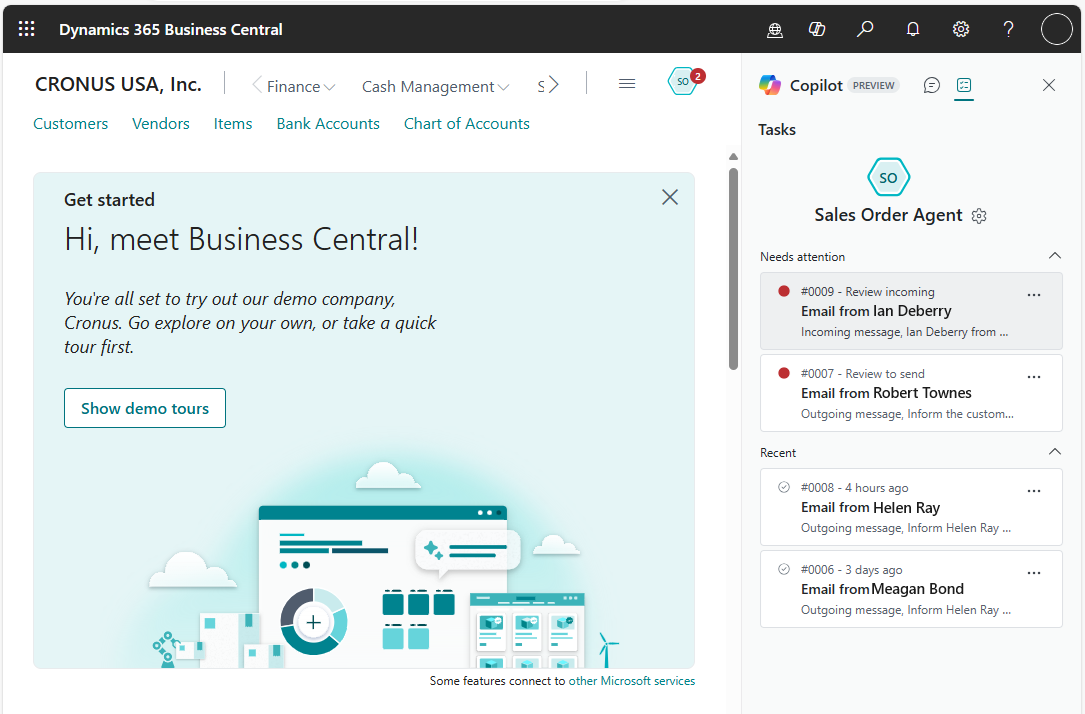
Invoices arrive.
The preparation begins.
Capture vendor invoices from email, extract their details and prepare purchase invoice drafts for your team to review.
Business Central · Payables Agent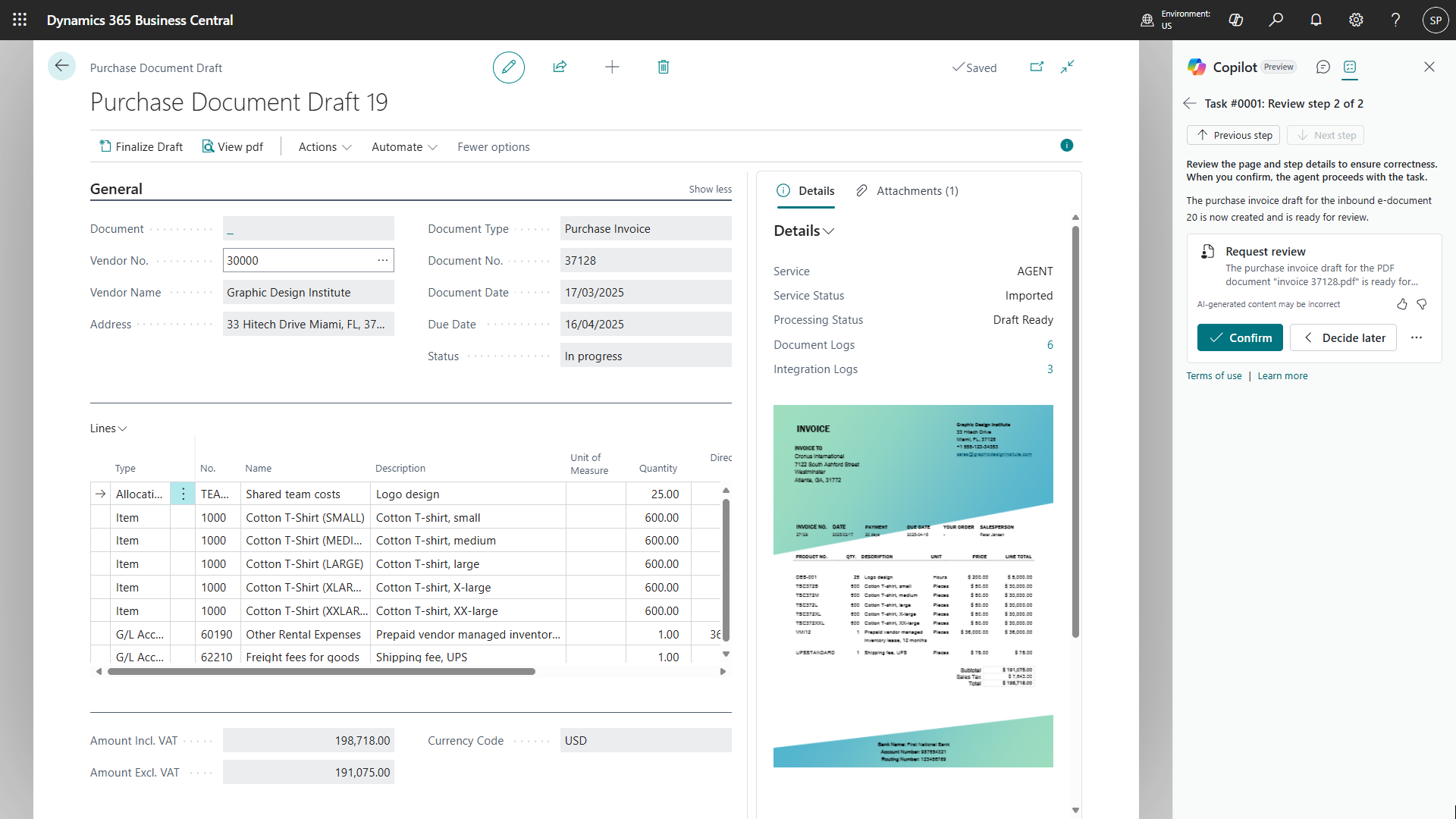
Explore information, work with business data and get assistance with everyday tasks such as analysis and bank reconciliation.
Design an agent to surface overdue invoices, prepare follow-ups and route exceptions to your team. Build on Business Central’s reminder automation and your collection rules.
A proposed S-Knight Asia extension to scope with your team; not presented as a standard Microsoft agent.
See Business Central reminder automation ↗Decide what the agent can access, when people review the work and how exceptions reach the right team.
YOUR COPILOT & AGENT ROADMAP
Start with your business priorities—from implementation and integrations to ongoing support. Introduce Copilot and AI agents in stages, aligned with the capabilities available in your Business Central environment.
Implement the right modules. Set up data, subscription contracts, permissions and approval rules.
Introduce relevant Copilot capabilities. Pilot sales order, payables and expense agents with clear review points.
Scope tailored receivables and industry workflows. Connect Copilot Studio, Power Automate and Teams where they add value.
Follow Microsoft’s AI at Work roadmap for new Business Central capabilities. Review release status and availability before adding a feature to your deployment plan.
Feature status reviewed 13 October 2026. Expense Agent is documented as a production-ready preview. Availability depends on release, country, language, licensing and configuration. This adoption journey is not a Microsoft release commitment.
A PRACTICAL NEXT STEP
Let’s map your business modules, priority workflows and next opportunities for Copilot and agents.